Available for Projects
Charitra Jain Logo
Menu
← BACK TO PROJECTSCASE STUDY // NOTHING NOTES ECOSYSTEM
PRODUCT DESIGN // UI/UX & DESIGN SYSTEMS

Monochromatic Industrial Note-Taking Workspace & UI/UX Case Study

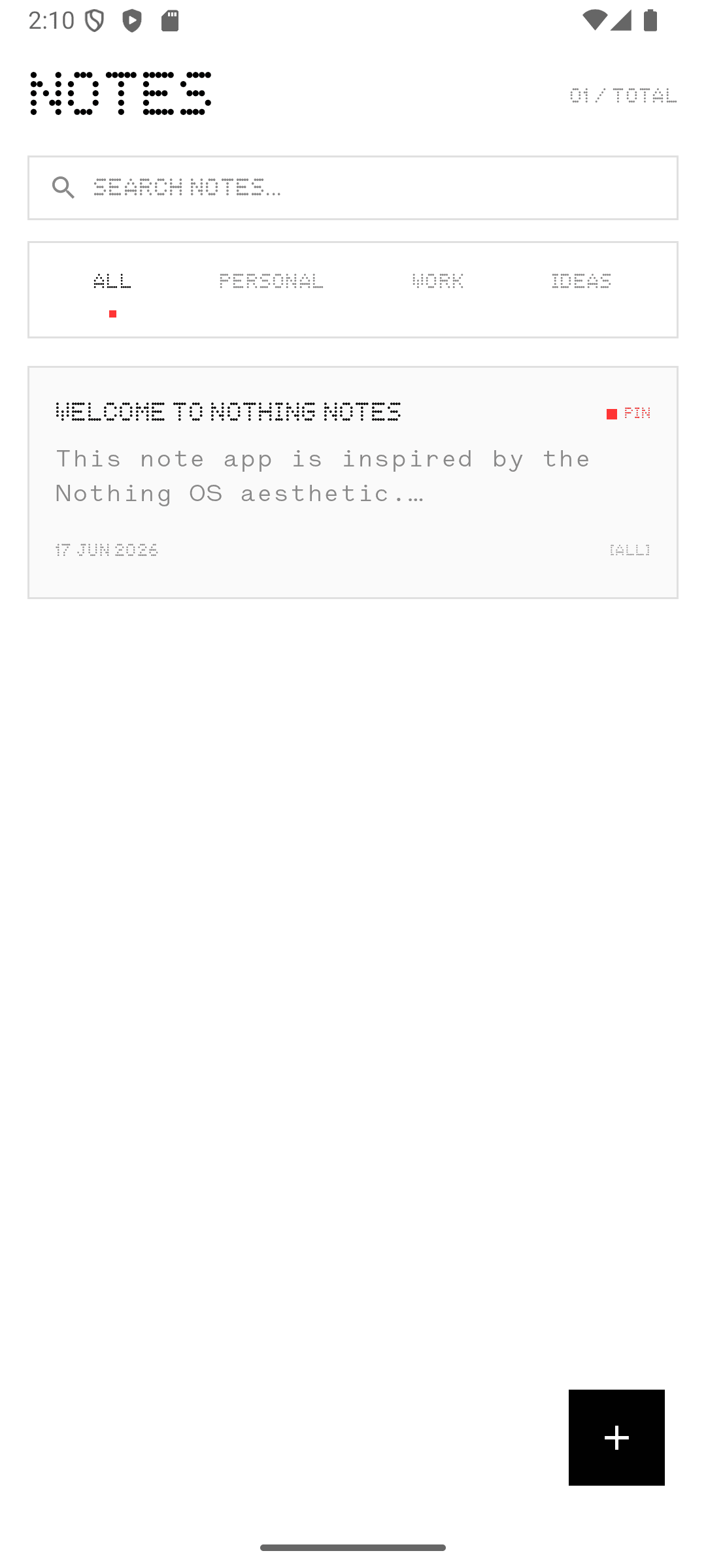
An offline-first mobile and desktop note-taking system designed around Monochromatic Industrial Minimalism—combining instant zero-save capture, an encrypted Private Space PIN Vault, interactive monospace checklists, and dot-matrix home screen widgets.

ROLE: Lead Product & UI/UX DesignerDISCIPLINE: Design Systems & Interaction ArchitecturePLATFORM: Android Mobile + Companion Desktop App
CONTEXT // 01THE CHALLENGE

Eliminating Friction from Everyday Thought Capture

Mainstream note-taking apps suffer from visual bloat—nested folders, sluggish cloud sync spinners, and decorative gradients that distract from raw thought capture. Guided by Nielsen Norman Group's Aesthetic and Minimalist Design heuristics, the challenge was to design a native-feeling Nothing OS note workspace that strips away every non-essential pixel while supporting rich media attachments, checklists, and private note locking. You can read more about my systems-first design approach or compare this with the companion Dot-Matrix Calculator UI/UX case study.

CONTEXT // 02THE OBJECTIVE

Monochromatic Industrial Minimalism

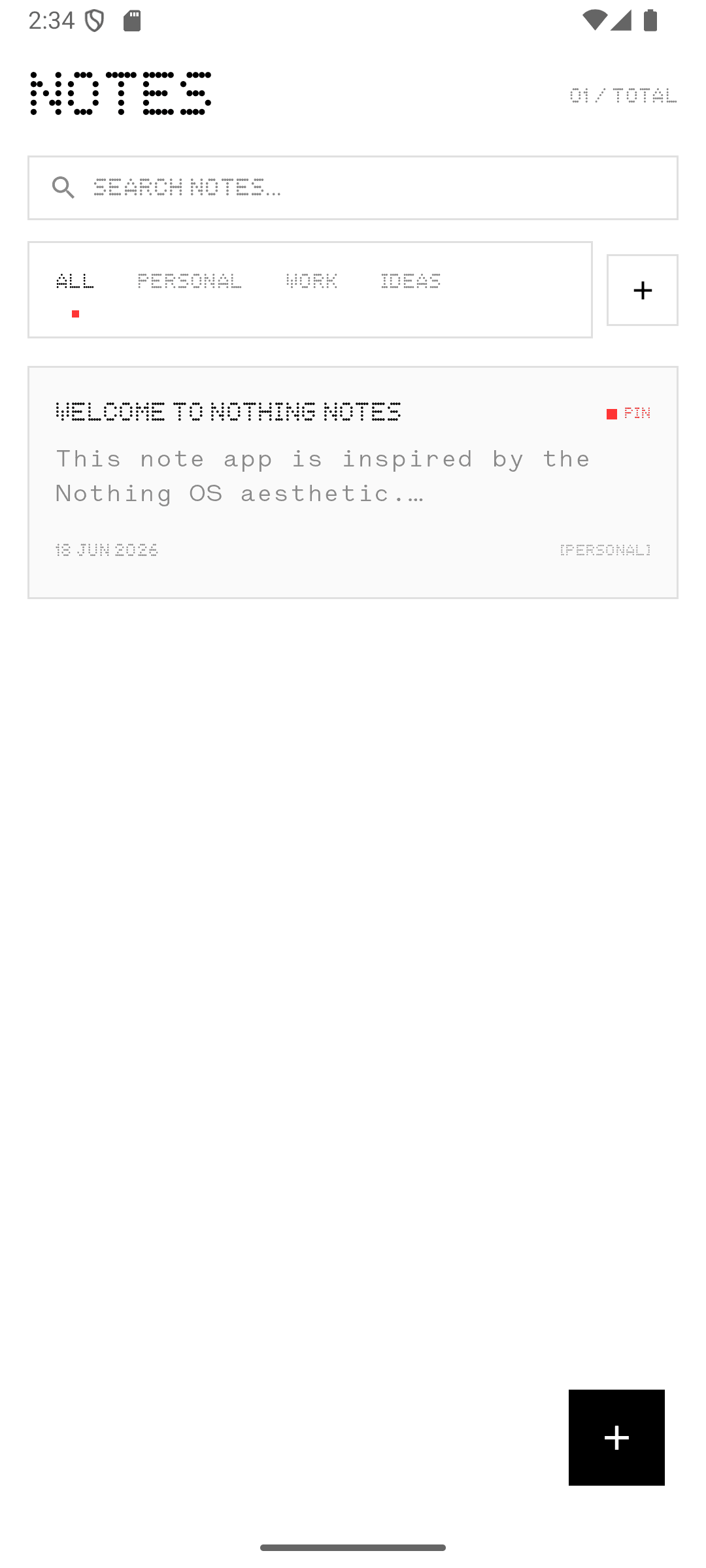
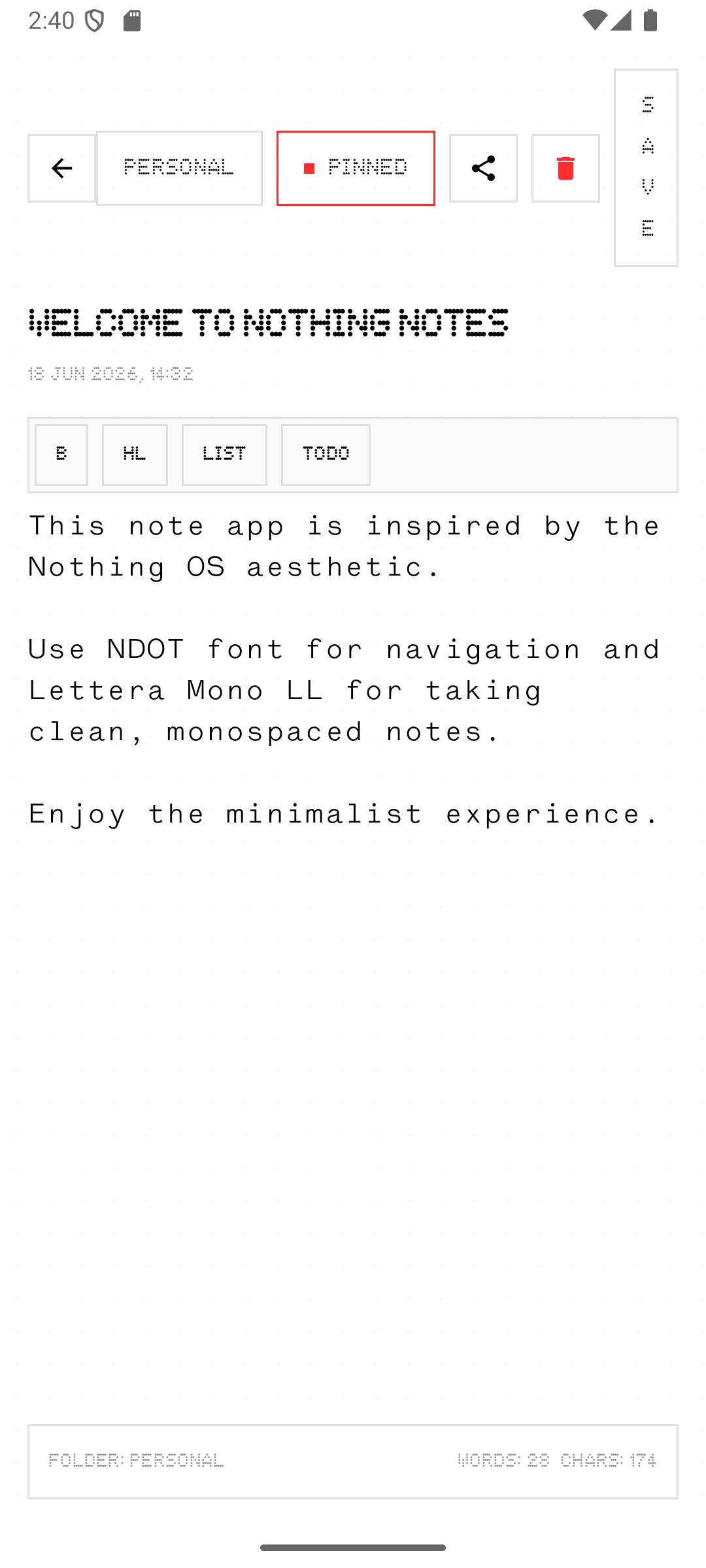
Establish a strict token system rooted in true OLED black (#000000), high-contrast stark white (#F4F4F4), 1dp structural wireframes (#2B2B2B), and surgical Nothing Red (#FF2D2D) accents—paired with a binary typographic hierarchy of NDOT 55 dot-matrix headers and Lettera Mono LL technical body copy that exceeds W3C WCAG 2.2 AA/AAA contrast standards.

STRATEGY // 03INTERACTION ARCHITECTURE

Five Core Product Pillars Designed for Zero Cognitive Load

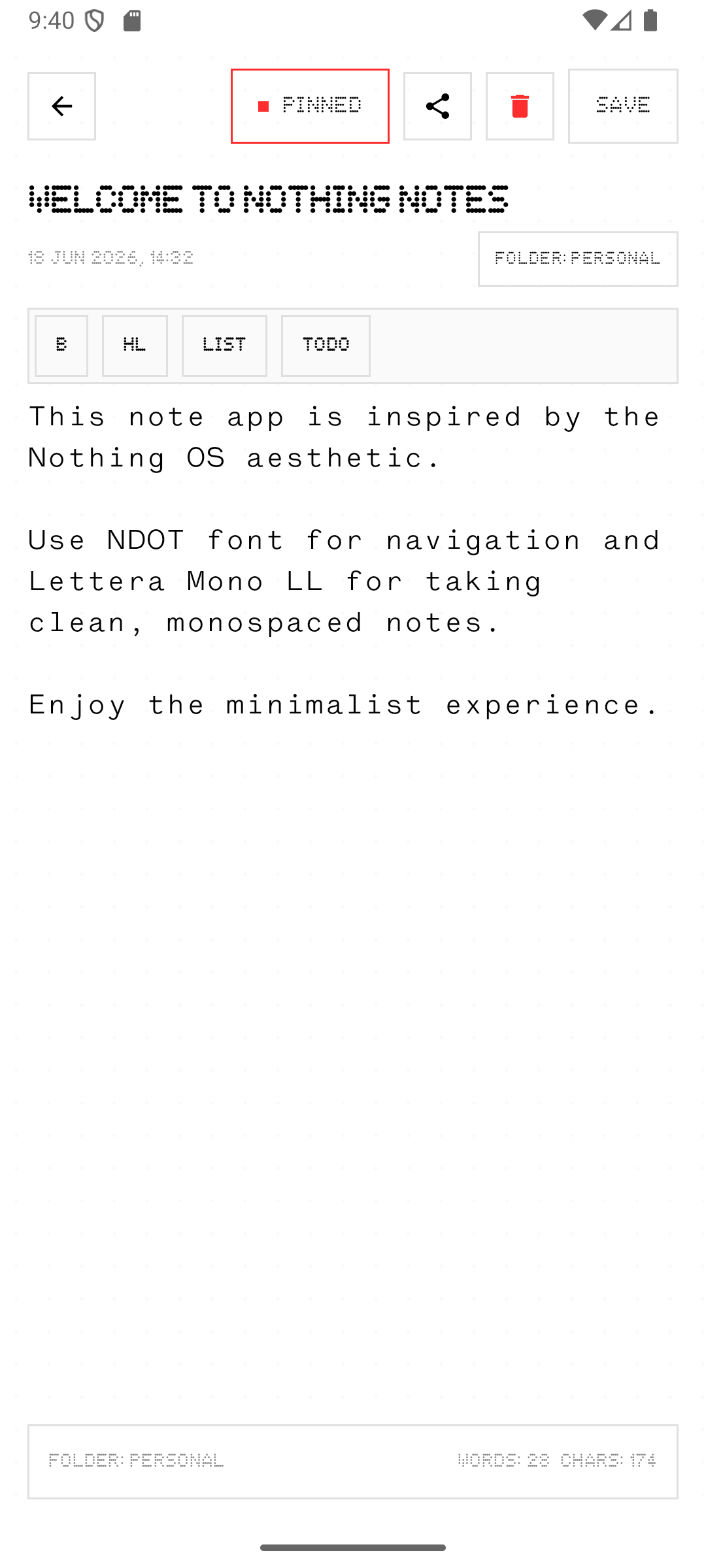
Rather than hiding tools inside multi-level dropdown menus, every interaction in Nothing Notes was designed around immediate spatial and visual feedback. Manual "Save" buttons were eliminated in favor of a debounced 500ms auto-save stream, and media attachments were bound directly to inline text tokens so users never lose context inside long notes. Explore how we applied similar distraction-free interaction principles to physical hardware in the SILRA Wave One Desk Music Console case study and in my design essays on visual hierarchy.

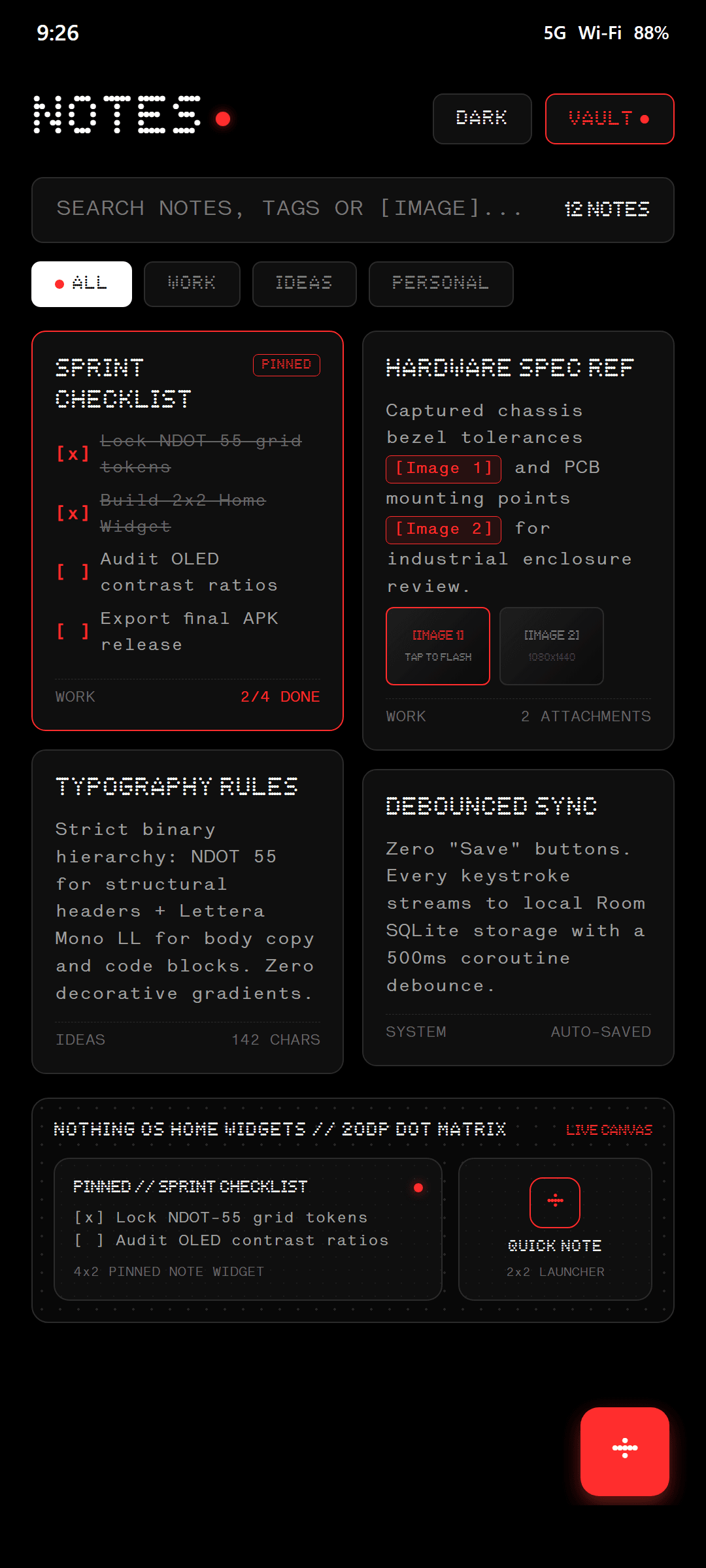
01 // INLINE [IMAGE X] REFERENCE TAGGINGInserting an image automatically embeds a red monospace [Image 1] pill at the cursor; tapping the tag scrolls to the thumbnail strip and flashes a 1.5s red border pulse.
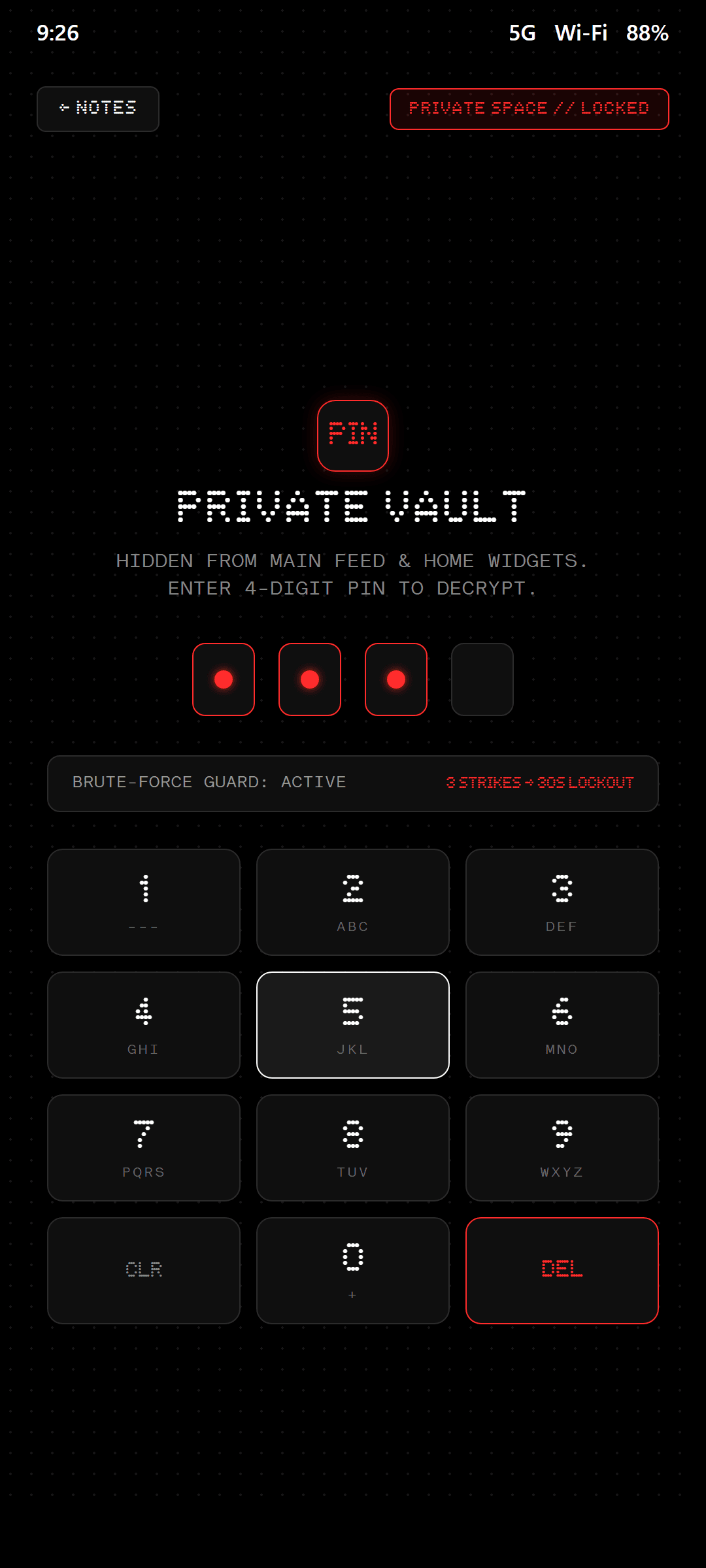
02 // PRIVATE SPACE & 3-STRIKE PIN VAULTDesigned a custom dot-matrix 4-digit PIN keypad with brute-force lockout protection (3 failed attempts trigger a persistent 30s countdown) and automatic widget privacy exclusion.
03 // INTERACTIVE MONOSPACE CHECKLISTSDirect coordinate tap detection allows users to toggle [ ] and [x] states directly inside the reading flow, automatically dimming and striking through completed tasks.
04 // 20DP DOT-MATRIX HOME SCREEN WIDGETSCreated 2×2/4×2 Pinned Note and Quick Capture launcher widgets rendered over a procedural 20dp dot-matrix grid for instant one-tap home screen access.
IMPACT // 05DESIGN REFLECTION

Restraint as a Functional Multiplier

Designing within a strict three-color palette (Black, White, and Nothing Red) forced every state change—from pinned priority notes to vault lockouts and inline image references—to communicate through proportion, border weight, and typographic contrast rather than decorative clutter.

LESSON // 01

Semantic Red Discipline

By reserving #FF2D2D strictly for active focal points (Pinned badges, inline media tags, and security alerts), user attention is guided instantaneously across dense note grids.

LESSON // 02

Privacy by Architecture

True privacy UX extends beyond a lock screen—requiring locked notes to be automatically stripped from home screen widget selectors and global search previews.

LESSON // 03

Cross-Device Continuity

Translating the mobile design tokens into a companion desktop application proved that a disciplined typographic grid adapts effortlessly from 6-inch OLEDs to widescreen monitors.