PRODUCT DESIGN // UI/UX & DESIGN SYSTEMSDot-Matrix Mobile Calculator UI/UX & Design System Case Study
A high-fidelity mobile utility design exploration translating industrial dot-matrix typography, dual-theme semantic color tokens, and tactile keypad ergonomics into an effortless everyday mathematical workspace.
ROLE: Lead UI/UX DesignerDISCIPLINE: Mobile UI/UX & Design SystemsPLATFORM: Mobile Utility Interface
Translating Hardware Aesthetics into Software
The Nothing OS visual language is defined by its hardware-inspired dot-matrix typography and monochromatic industrial minimalism. The challenge was translating these strict physical constraints into a fluid, highly legible mobile calculator interface without visual clutter. You can learn more about my UI/UX design philosophy or explore the companion Nothing Notes Workspace case study to see how these monochromatic design tokens scale across an entire mobile productivity suite.
Ergonomic Clarity Meets Pixel-Perfect Craft
Design an everyday mathematical utility that evaluates multi-step expressions while maintaining effortless one-handed thumb ergonomics and instant visual confirmation. By applying Material Design 3 spatial and adaptive grid principles alongside high-contrast dot-matrix typography, every button press feels deliberate, physical, and unmistakable in both bright daylight and OLED dark rooms.
Reducing Cognitive Load Through Spatial Grouping
Usability testing on early wireframes revealed that dense grids of uniform buttons increase entry errors during rapid calculations. Drawing on Nielsen Norman Group visual hierarchy research, we separated numeric inputs, primary operators, and destructive actions through distinct surface contrast and signature red focal accents. Read my design articles on visual hierarchy or inspect the SILRA Wave One hardware UI case study to see how tactile feedback principles bridge physical and digital products.
01 // LIVE EXPRESSION PREVIEWDual-tier typographic readout pairing the active formula string above a bold dot-matrix result display for error-free verification.
02 // DOT-MATRIX STRUCTURAL GRIDPrecision dotted dividers and 1dp wireframe cards align every keypad target to an underlying geometric rhythm.
03 // TACTILE KEYPRESS ERGONOMICSPaired spring-scale button compression states with subtle haptic feedback cues to simulate physical calculator switches.
SCREEN // 01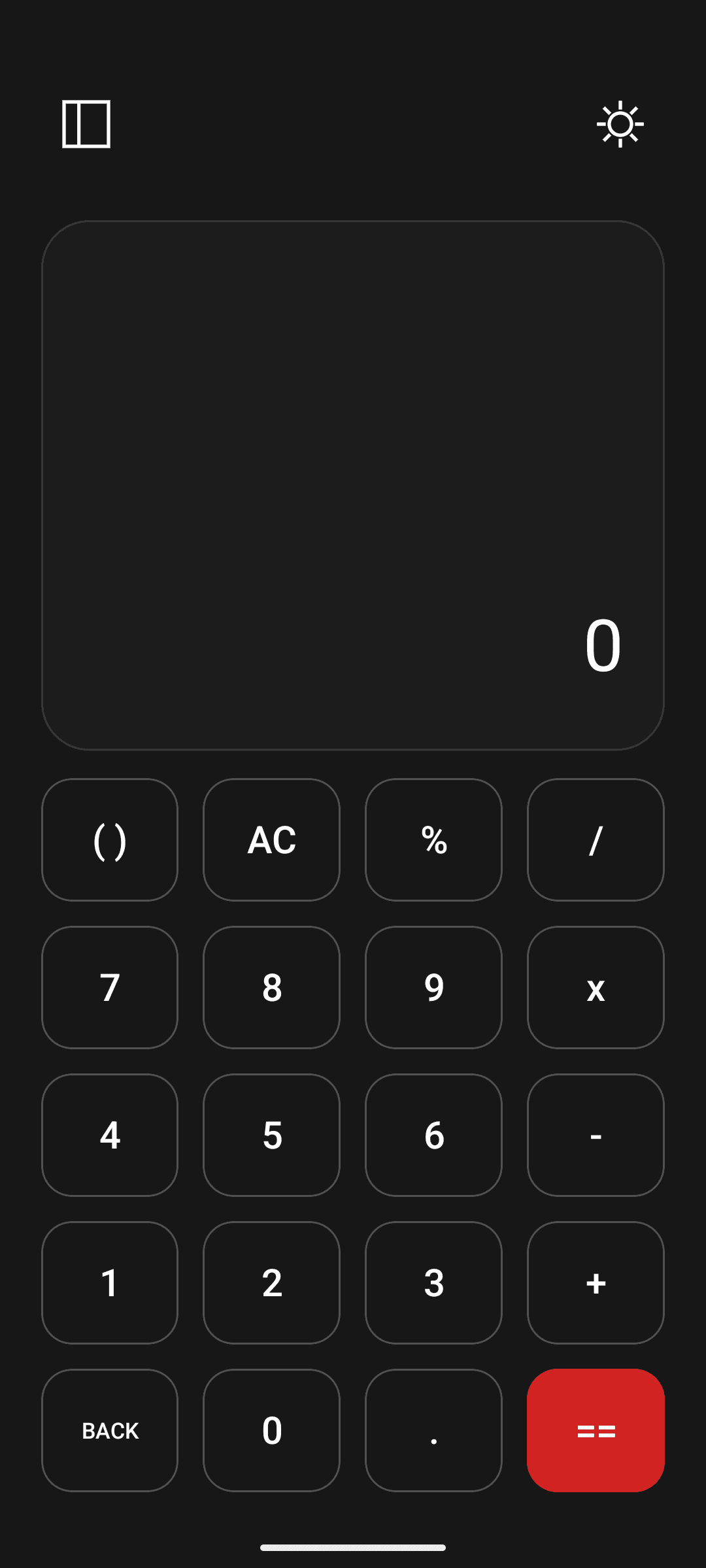
Click to Enlarge ⤢
SCREEN // 02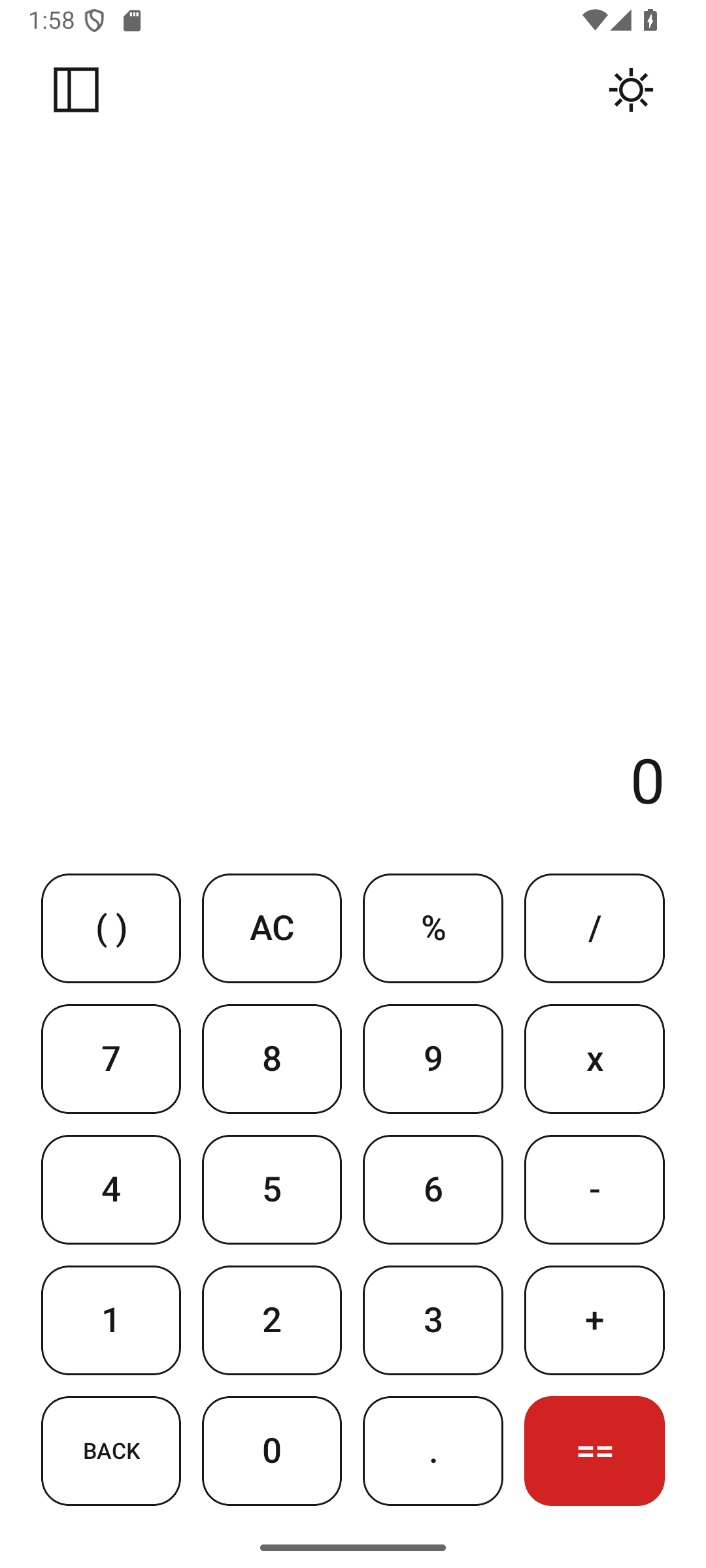
Click to Enlarge ⤢
SCREEN // 03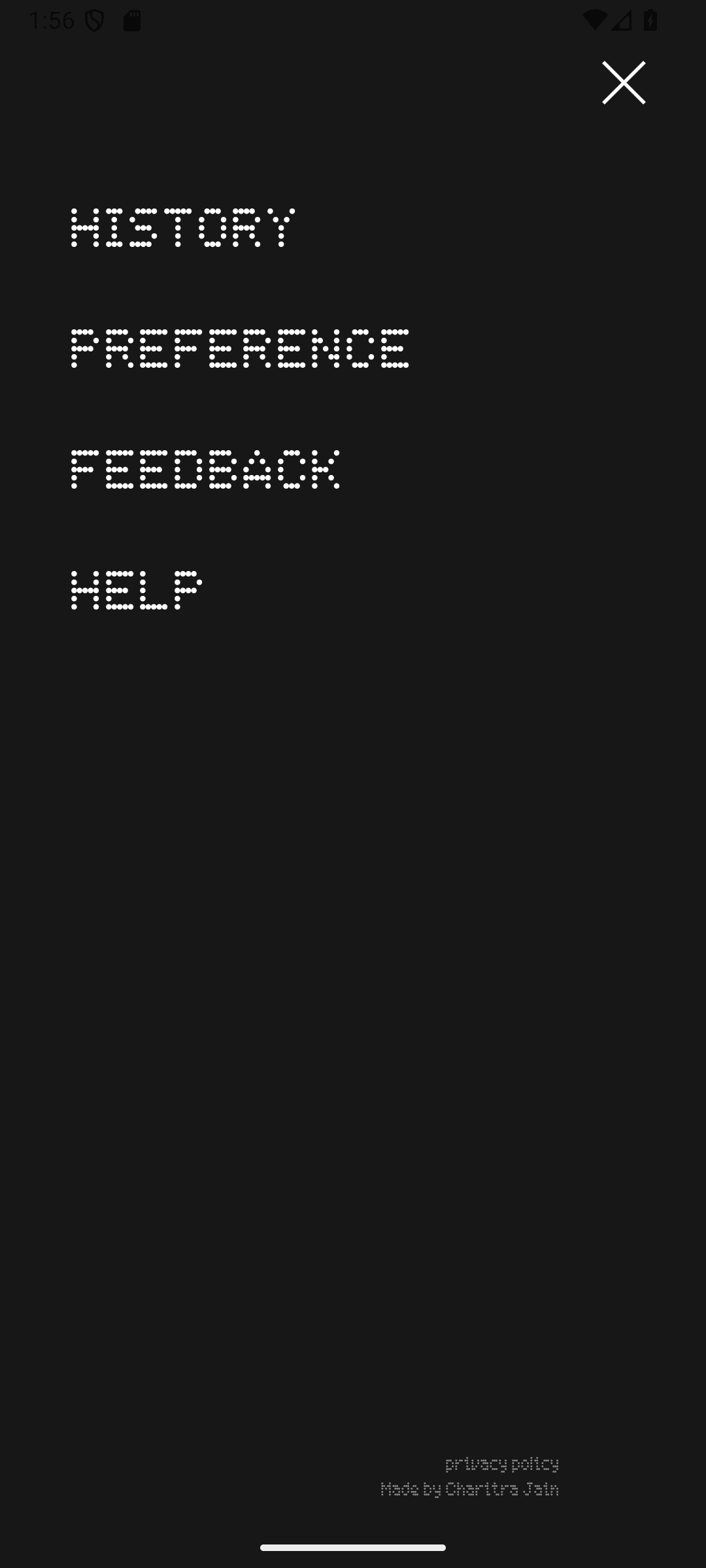
Click to Enlarge ⤢
SCREEN // 04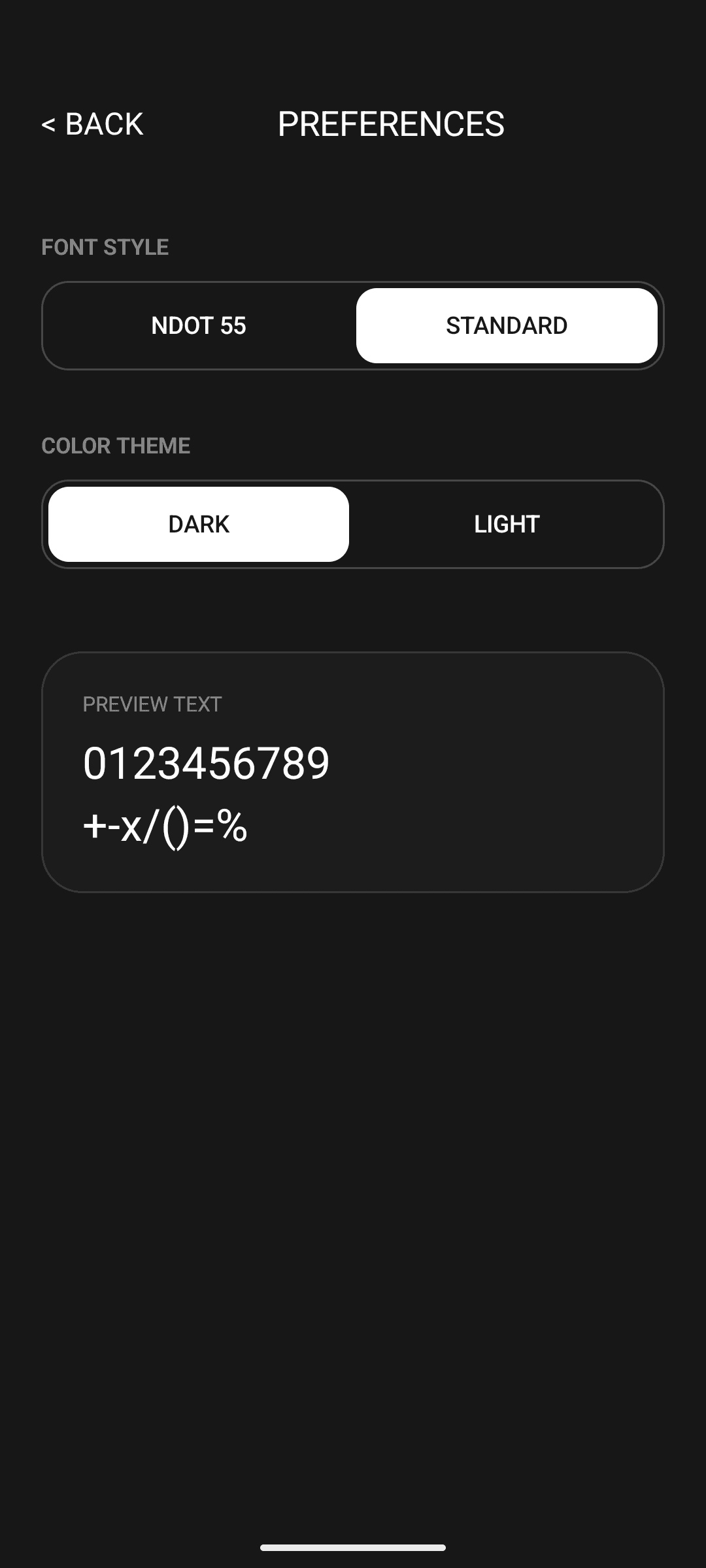
Click to Enlarge ⤢
SCREEN // 05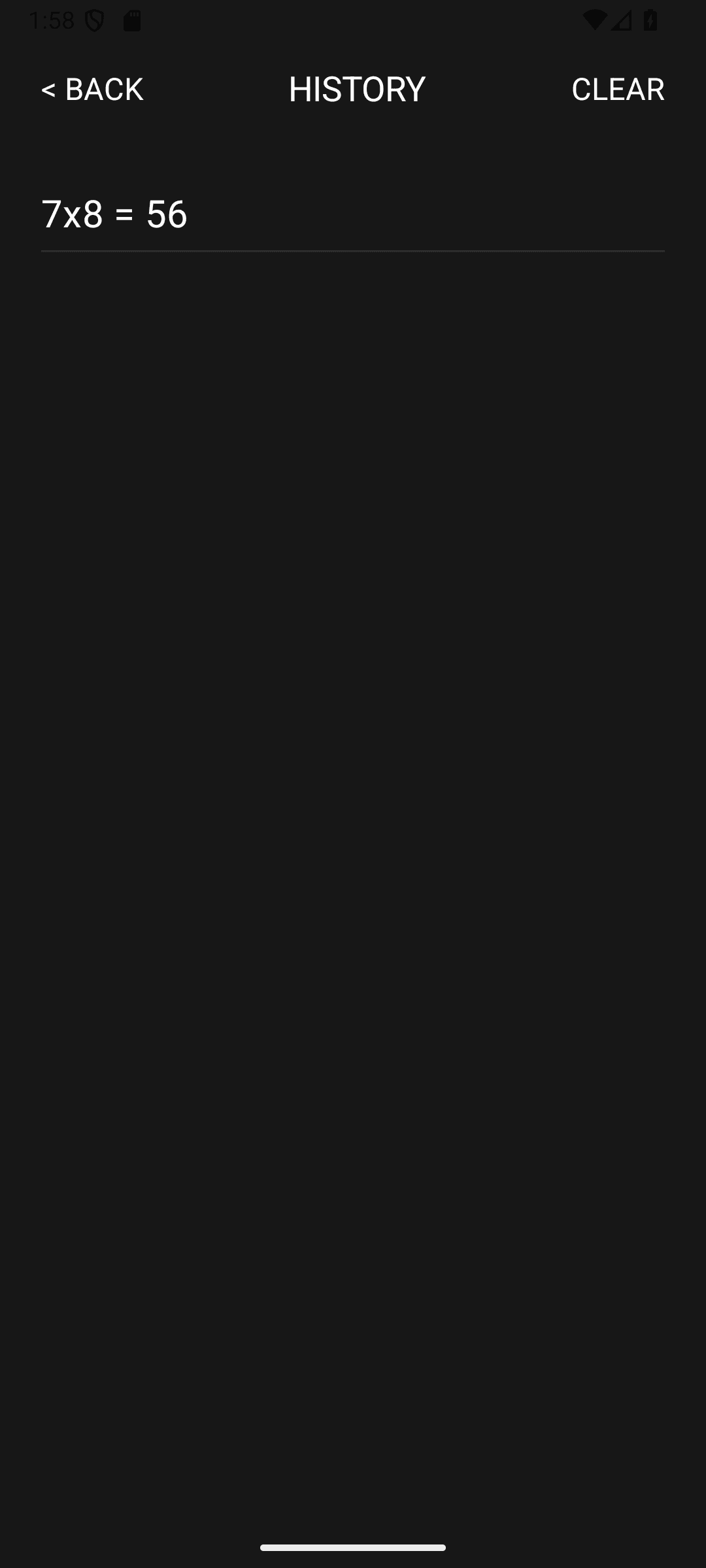
Click to Enlarge ⤢
SCREEN // 06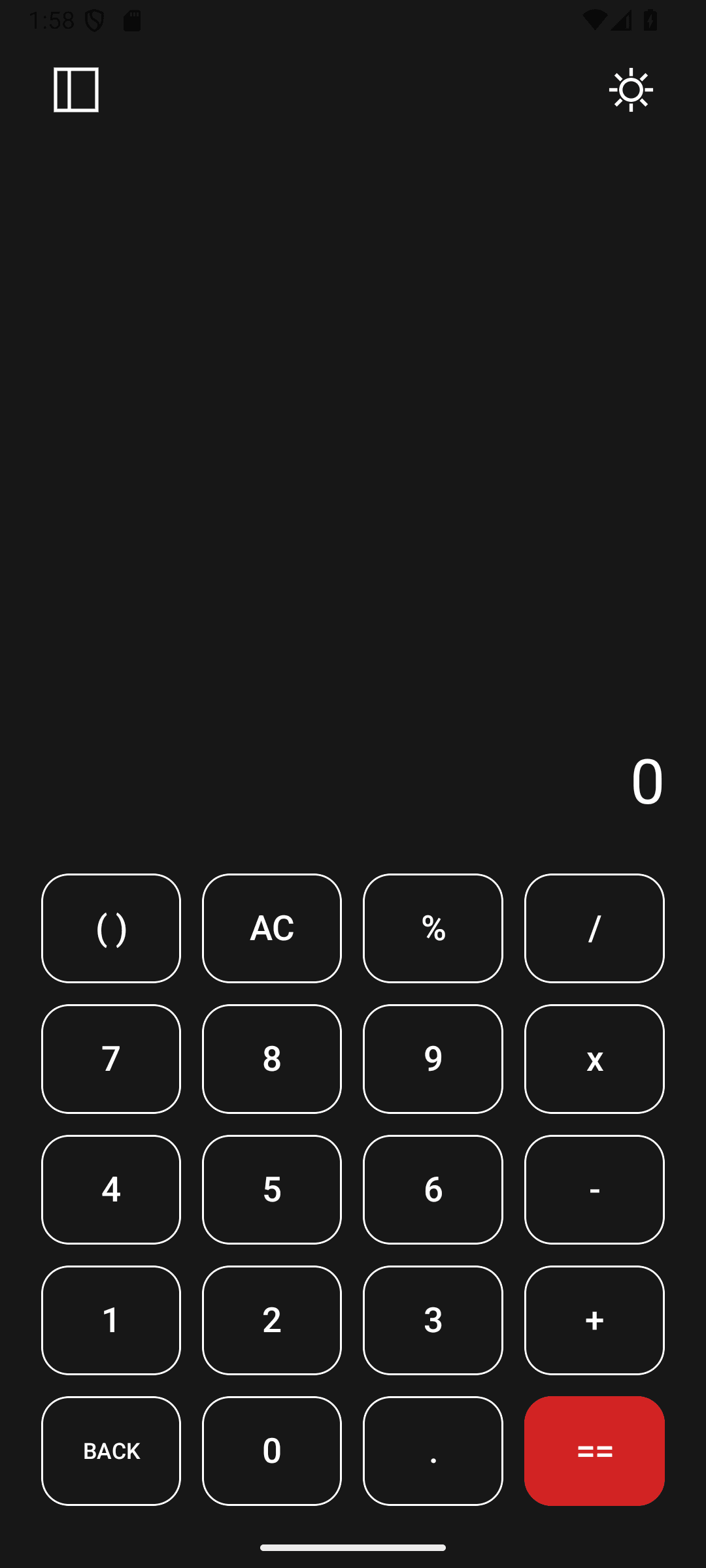
Click to Enlarge ⤢
Restraint & Visual Hierarchy in Utility Design
Designing a utility used dozens of times a week reinforced that visual restraint is the highest form of usability. The final design system succeeded by stripping away ornamental gradients and focusing entirely on how the human eye groups numbers, operators, and historical calculation logs at a glance.
LESSON // 01Systematic Grouping
Simplifying the keypad hierarchy and grouping related mathematical operators together reduces cognitive friction, making multi-step calculations feel effortless.
LESSON // 02Dual-Theme Token Discipline
Mapping every surface, divider, and accent to semantic Light and True-Black OLED tokens guarantees consistent legibility across all ambient lighting environments.
